
Table of Contents
ToggleRemote work has changed where people get things done, and many homeowners no longer have the luxury of a dedicated office. The living room, often the most spacious and naturally lit room in the house, offers a practical solution when square footage is tight. With intentional furniture placement, clever storage, and a few strategic design choices, a living room can serve double duty without sacrificing comfort or professional focus. The key lies in balancing function with aesthetics so the workspace enhances the room rather than overtaking it.
Key Takeaways
- Living room office ideas work best when the desk is positioned against a wall or in a natural alcove, keeping the workspace from blocking sightlines or dominating the room’s aesthetics.
- Smart desk solutions like secretary desks, Murphy desks, or console tables help maintain a cohesive look by hiding work materials when not in use and complementing existing living room furniture.
- Closed storage—cabinets, baskets, and rolling file carts—keeps clutter hidden and prevents the workspace from feeling like a permanent office setup.
- Strategic lighting with task lamps (500+ lumens, CRI above 90) and proper cable management are essential for both productivity and maintaining the room’s polished appearance.
- Visual design cues like subtle color shifts, textural contrasts, and optional room dividers create a mental boundary between work and relaxation without requiring permanent walls.
- A stable Wi-Fi connection and wireless peripherals reduce visual cable clutter while keeping technology seamlessly integrated into the dual-purpose space.
Why a Living Room Office Works for Modern Lifestyles
Combining a workspace with a living area makes practical sense for households juggling tight schedules and limited floor plans. Many homes built before the 2000s lack dedicated office space, and converting a bedroom or dining room isn’t always an option when those rooms serve other purposes. The living room typically provides better natural light than spare bedrooms or basements, which directly impacts mood and productivity during long work sessions.
Shared spaces also encourage better work-life boundaries when designed correctly. Unlike a closed-door office that can blur the line between “on” and “off” hours, a living room setup naturally signals the end of the workday when the family gathers. This dual-purpose arrangement works particularly well for freelancers, hybrid workers, or anyone whose work requires a few hours of focused screen time rather than a full corporate desk setup.
The primary challenge involves managing visual clutter and noise. Without intentional zoning, the workspace can dominate the room or create an awkward mismatch between professional gear and living room aesthetics. Addressing these concerns upfront, through furniture selection, cable management, and storage, prevents the space from feeling like a college dorm or a cluttered corner that nobody wants to look at.
Strategic Layout and Furniture Placement for Dual Functionality
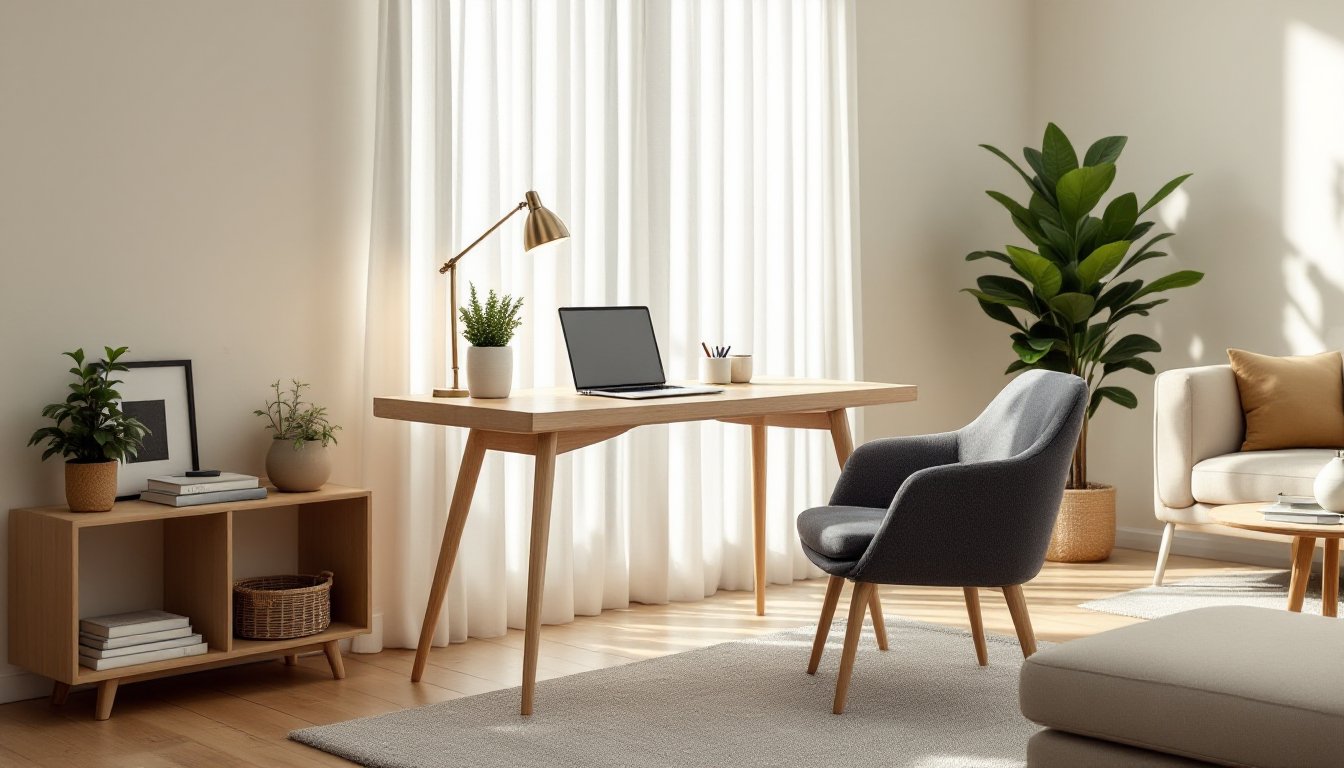
Placement determines whether a living room office feels cohesive or chaotic. The best spot for a desk is usually against a wall perpendicular to the main seating area or tucked into an alcove, which keeps the workspace from blocking sightlines or traffic flow. Avoid placing the desk directly opposite the sofa, this creates an awkward visual standoff and makes it harder to mentally separate work from relaxation.
If the living room has architectural features like built-in shelving, a bay window, or an unused corner near a window, those areas often become natural office zones. Natural light from a nearby window reduces eye strain and cuts down on daytime lamp use, but position the desk perpendicular to the window rather than facing it directly to minimize screen glare.
For renters or anyone hesitant to commit to permanent layouts, area rugs help define zones without drilling holes or moving heavy furniture repeatedly. A small rug under the desk and chair visually separates the work area from the rest of the room and protects flooring from chair casters. Use furniture as subtle dividers, a bookshelf, console table, or even a tall plant can create a psychological boundary between the office zone and the living area.
Smart Desk Solutions That Blend with Your Living Room
The desk is the focal point of any workspace, and choosing one that complements existing furniture keeps the room from looking like two separate spaces smashed together. Secretary desks or drop-front desks work well in traditional or transitional living rooms: they close up when not in use, hiding paperwork and cables behind a clean facade. These typically measure 30–36 inches wide, making them a good fit for tight corners.
Wall-mounted fold-down desks (often called Murphy desks) take up almost no floor space and can be stained or painted to match trim or cabinetry. When closed, they read as wall art or shelving. Most models support up to 50 pounds, enough for a laptop, monitor, and small accessories but not heavy desktop towers or multiple monitors.
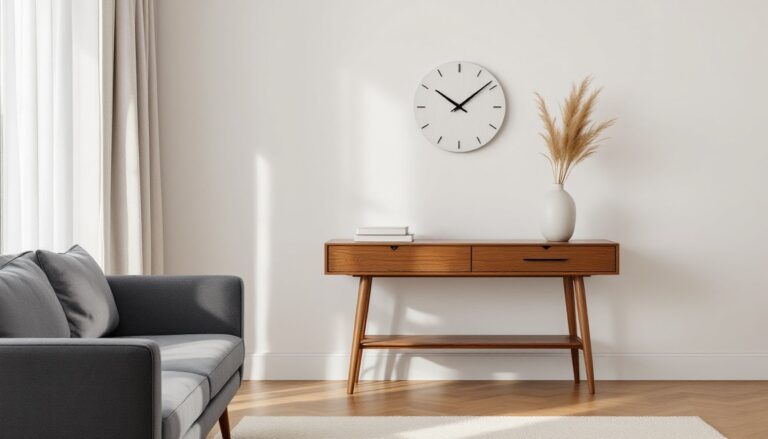
For larger setups, a writing desk or console table (usually 48–60 inches long) offers more surface area without the bulk of a traditional office desk. Look for models with tapered legs or open bases, solid panel sides make furniture feel heavier and eat up visual space. Pairing a sleek desk with a stylish chair (think mid-century modern, upholstered parsons chairs, or even a bench with a cushion) keeps the workspace from shouting “cubicle.”
Avoid glass desks unless the rest of the living room follows a contemporary or minimalist aesthetic. They show every fingerprint and cable, which works against the goal of a tidy, blended workspace.
Creative Storage and Organization to Minimize Clutter
Visible clutter, stacks of paper, tangled cords, random office supplies, kills the dual-purpose vibe fast. The goal is to keep work materials accessible but out of sight when the workday ends. Closed storage always beats open shelving in shared living spaces. Cabinets, baskets, and drawer units hide the mess without requiring constant tidying.
Floating shelves above the desk provide a spot for frequently used items like notebooks or a printer without taking up floor space, but limit them to one or two shelves and style them with a mix of functional and decorative objects. A shelf crammed with binders and file folders looks like an office: a shelf with a plant, a few books, and a small tray for pens reads as intentional.
For paperwork and supplies, a rolling file cart or a storage ottoman near the desk keeps essentials within reach but mobile. File carts tuck under or beside the desk, and many models come with a locking top drawer for important documents. Storage ottomans double as extra seating and hide items like charging cables, headphones, or a laptop when it’s not in use.
Cable management is non-negotiable. Use adhesive cable clips or a cable sleeve to run cords along the back edge of the desk and down the leg to the outlet. A simple power strip with a mounting bracket keeps plugs off the floor and makes it easier to unplug everything at once if the desk needs to move. Nothing screams “temporary setup” louder than a rat’s nest of cables draped across the wall.
Design Elements That Separate Work from Relaxation
Creating a mental boundary between “work mode” and “home mode” doesn’t require walls, it requires visual cues. Color is one of the simplest tools. If the living room is soft and neutral, the office area can pick up a slightly different accent color through accessories: a desk lamp, chair cushion, or desktop organizer. This subtle shift signals a change in purpose without clashing.
Texture also plays a role. A smooth, hard-surface desk contrasts with soft upholstered furniture, which naturally separates the workspace. Lean into that difference rather than trying to make everything match perfectly. Pairing a wood or metal desk with a cozy fabric chair softens the office look without abandoning the professional feel.
If the living room layout allows, a folding screen or room divider creates a temporary visual break during work hours and folds away afterward. Woven panels, slatted wood, or even a tall bookshelf (secured to the wall with L-brackets to prevent tipping) can do the job. Avoid heavy or overly decorative dividers that feel permanent or take up too much real estate.
Mirrors and artwork should be chosen carefully. A mirror behind the desk can reflect light and make a small space feel larger, but it also reflects the back of your head during video calls, position it to the side instead. Artwork in the office zone can lean more graphic or architectural, while the living area keeps warmer, more personal pieces.
Lighting and Technology Essentials for Productivity
Lighting makes or breaks a workspace. Overhead lighting alone usually isn’t enough for detail work, and relying solely on a laptop screen in a dim room leads to eye strain and headaches. A task lamp with adjustable brightness and color temperature gives better control. Look for models with a CRI (Color Rendering Index) above 90 and at least 500 lumens for reading and screen work. Lamps with a swing arm or gooseneck adjust to different tasks and tuck out of the way when not needed.
If the living room has recessed lighting or a ceiling fixture on a dimmer switch, use it. Dimming the overhead lights during video calls reduces harsh shadows and glare on screens. Floor lamps with diffused or upward-facing shades provide ambient light that balances the task light without creating hot spots.
Wi-Fi coverage matters more than most people think. If the living room sits far from the router, a mesh network extender or a powerline adapter keeps the connection stable during calls and file uploads. Avoid running Ethernet cables across the floor, they’re trip hazards and look terrible. If a wired connection is necessary, run the cable along baseboards using adhesive cable clips or install it inside a cord cover raceway.
Speakers, webcams, and other peripherals should be chosen with the dual-purpose setup in mind. A USB hub mounted under the desk or along the back edge keeps ports accessible without cluttering the desktop. Wireless keyboards and mice reduce cable clutter, but keep spare batteries or a charging cable in the desk drawer.
Conclusion
A living room office doesn’t have to look like a compromise. With deliberate furniture choices, smart storage, and attention to lighting and layout, the space can feel cohesive and functional for both work and downtime. The most successful setups respect the room’s original purpose while carving out a productive zone that doesn’t dominate the space. Start with one or two focused changes and adjust as needs evolve.